Best Photocard Sleeves Explained: Archival-Safety, Fit, and Storage
|









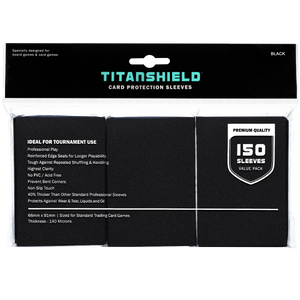


If you've ever tried using regular trading card sleeves for K-pop photocards, you know the frustration: they don't quite fit right, glossy surfaces pick up scuffs instantly, and what looked crystal-clear today can turn hazy within months if you're using cheaper materials.
Standard TCG sleeves weren't designed for photocards; they're built for different dimensions, heavy shuffling, and gameplay, not long-term display.
Photocards (PCs) live a different life. They're pulled out for photos under ring lights, swapped at events, sleeved into binders, shipped in toploaders, and revisited constantly. That kind of handling creates specific risks, such as corner damage, micro-scratches that catch the light, clouding from cheap plastics, and creasing from sleeves that grip too tight or buckle too loose.
This guide explains what actually makes a photocard sleeve worth using, what "archival safe" means in practice, and how to choose based on how you store and handle your collection.
A sleeve isn't just a clear bag. For a serious photocard collection, the best sleeves solve four problems at once: fit, display, handling, and long-term stability.
Most album inclusions use standard credit card dimensions (55×85 mm), though polaroid-style PCs and some pre-order benefits (POBs) run closer to 63×88 mm. Standard TCG sleeves (sized for 63.5×88.9 mm cards) leave too much room for smaller photocards, which causes:
A properly sized photocard sleeve should hold the card securely without forcing it—snug, not strangling.
Collectors underestimate clarity until they start photographing cards. The difference between "clear" and truly high-clarity film shows up as:
If you make trade proofs, binder flip videos, or listing photos, sleeve clarity affects how your cards are seen.
Thickness affects how the sleeve feels in your hands and how well it holds up to repeated handling. Thin sleeves work fine in a binder that never moves, but if you're frequently pulling cards to trade or photograph, a slightly thicker sleeve feels more stable and resists tearing better.
What to look for:
"Archival safe" gets thrown around a lot. Practically, it means the sleeve's material is stable and non-reactive over time—typically acid-free polypropylene or polyethylene, not PVC, which can yellow, stick, or leach plasticizers onto your cards.
For collectors and investors, the goal is to protect cards today without introducing long-term damage that appears months or years later.

If you care about long-term storage, the sleeve's plastic matters more than the box design, branding, or how "premium" the listing sounds.
You’ll typically find these abbreviations in product details, and clear disclosure is a good sign you’re buying from a reputable store.
Note: Most photocard sleeves use polypropylene, either OPP (oriented) or CPP (cast). CPP resists wrinkling and scratching better, though both are chemically stable and PVC-free.
"Acid-free" is primarily a paper storage term, but for plastics, the equivalent is chemically inert, meaning the material won't react with inks, coatings, or the card surface itself. Polypropylene and polyethylene are naturally inert.
Look for language like:
Avoid vague listings that only say "clear," "premium," or "collector-grade" with no material details.
If you're storing photocards for the long haul, avoid:
One more practical tip: Temperature swings accelerate degradation. Even the best sleeves perform better in cool, dry storage.
The "best" sleeve depends on whether you're optimizing for binders, shipping, display, or heavy handling.
Soft sleeves (thin, flexible sleeves sized specifically for photocards) are the default for most collectors because they:
If you trade frequently, soft sleeves are also the first line of defense before you add a toploader or semi-rigid.
Rigid or semi-rigid protectors (think toploaders and card savers) do a different job:
They're not a replacement for soft sleeves. You typically sleeve the card first, then place it into the rigid protector.
Sleeve choice works best when it’s based on workflow. How you store, trade, and display determines which features matter most.
Typical materials and thickness range
Most archival-style soft sleeves are PP or CPP. Thickness typically ranges from 40-100 microns (0.04-0.1 mm). Thicker sleeves (80-100 microns) feel sturdier and resist tearing better, though very thick sleeves can be harder to fit into snug binder pockets.
Pros
Trade-offs
Best for: binders, trading, regular handling
If your collection lives in a binder, this is the "workhorse" category you'll buy in bulk, keep in stock, and reorder without thinking twice.
Anti-glare properties for photography and content creation
Matte or frosted sleeves cut reflections, essential if you shoot proofs under a ring light or film binder flips. The trade-off is reduced visual depth. Colors can look slightly muted, and holo or foil effects lose some of their shine.
Pros
Trade-offs
Best for: social media photography, reducing glare in showcase binders, content creators and collectors who frequently photograph cards
Structural support and edge protection
These aren't just for shipping. They're also useful for display cases, long-term storage of high-value cards, and travel to conventions or fan meets where cards need to survive rough handling.
Pros
Trade-offs
Best for: shipping, travel, signed or higher-value photocards
If you've ever had a card arrive with a subtle curve because the mailer flexed, you already understand why semi-rigid support matters.
| Sleeve type | Key features | Pros | Trade-offs | Best for |
|---|---|---|---|---|
| Archival-safe soft sleeves | PP or CPP material; ~40–100 microns thickness | Protects against surface scratches; works easily with binder pages; strong clarity-to-cost balance | Limited bend protection; ultra-thin versions can feel flimsy or split | Binders, trading, regular handling |
| Specialty finish sleeves (matte / frosted) | Anti-glare surface; reduced reflections for photos and video | Less glare; fingerprints less visible; cleaner look under lighting | Reduced clarity; muted colors; holo / foil effects lose some shine | Social media photography, binder flip videos, showcase binders |
| Semi-rigid or rigid protectors | Structural support; stiff plastic construction | Strong bend resistance; better edge and corner protection; safer for transport | Bulky in binders; requires a soft sleeve first to prevent surface scratching | Shipping, travel, signed or higher-value photocards |
Here's the collector-first decision tree, based on what you do with your cards.
Choose archival-safe soft sleeves in the correct size for your photocards. Prioritize:
If you like a "showcase" look with reduced glare under bright room lights, consider matte/frosted sleeves for your display binder.
Use a clean soft sleeve first, then add a semi-rigid or toploader for shipping.
Your goal is to prevent:
Pro tip: Keep a small "shipping station" setup (fresh sleeves, painter's tape, team bags, and toploaders) so the job is consistent and you're not improvising at 1 a.m. when an order needs to be shipped.
Bring semi-rigid or rigid protection for anything you'll carry around, plus a few extra soft sleeves for trades on the spot. Travel introduces crushing forces like bag pressure, crowd bumps, and accidental flexing.
This is where archival-safe, PVC-free, stable plastics matter most. Go PP/CPP, avoid questionable "super soft" sleeves, and store binders upright in a stable environment.
Display cards deserve structure. A soft sleeve protects the surface, while a rigid holder protects the shape.
| How you use your cards | Sleeve setup to choose | What to prioritize | Why it works |
|---|---|---|---|
| Binder storage | Archival-safe soft sleeves (PP / CPP, correct size) | High clarity, smooth insertion, consistent fit | Protects surfaces, keeps corners clean, and fits neatly in binder pockets |
| Binder display / showcase look | Matte or frosted soft sleeves | Reduced glare, cleaner appearance under bright lights | Makes cards easier to view and photograph without reflections |
| Trading or selling | Soft sleeve + semi-rigid or top loader | Clean sleeves, corner protection, transit support | Prevents wear, bends, and scratches during shipping |
| Travel to conventions or fan meets | Semi-rigid or rigid protection + spare soft sleeves | Structural support, portability | Guards against bag pressure, crowd bumps, and flexing |
| Long-term storage | Archival-safe PP / CPP sleeves | PVC-free materials, stable fit, dust control | Preserves condition over time without stressing binder pockets |
| Displaying rare or signed cards | Soft sleeve + rigid holder | Surface protection, shape retention | Keeps cards flat and protected while on display |
Also think about light exposure. Most sleeves provide physical protection but not UV protection. If you're displaying near a window, control direct sunlight exposure to prevent fading. Or look for sleeves specifically rated for UV filtering (though these are less common).
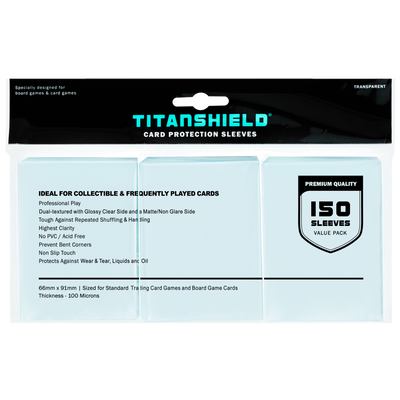
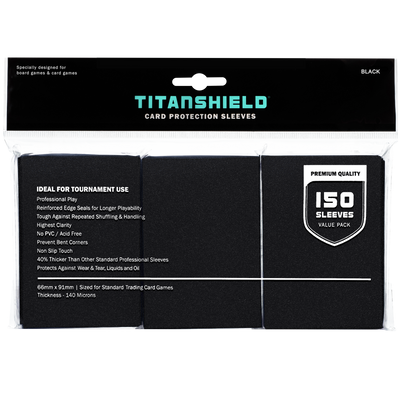
If you're shopping on TitanShield.com, your best bet is to start with our correctly sized premium photocard sleeves (PVC-free, acid-free, high clarity), then add rigid protectors for the subset of cards that truly need it. That's the easier way to scale protection without overloading your binders
Even experienced collectors make these mistakes, usually because a sleeve looks fine at first.
Too large = sliding, corner bumping, and dust ingress. Too small = corner pressure and subtle warping. "It fits if I push it" is not a win.
Some listings bury the material details. If the product doesn't clearly say PP/CPP or PVC-free, treat it as unknown, especially if the price looks too good to be true.
Tight sleeves can pinch corners and create a slight bend, particularly if the card has any natural curl or if your binder pockets are snug, too. This is a common failure point with glossy K-pop photocards.
Clarity is not the same as archival stability. A sleeve can be crystal clear today and still haze, yellow, or interact with surfaces later. Material disclosure beats appearance every time.
Those tiny scratches inside the sleeve become sandpaper when you slide a photocard in and out repeatedly. Fresh sleeves cost less than replacing a damaged card, especially if it's a rare or high-value pull you don't want to replace.
Rigid protectors can scratch glossy surfaces directly. Always use a soft sleeve first. Even if the card looks fine initially, micro-abrasions build up over time.
| Mistake | Why it’s a problem | Better approach |
|---|---|---|
| Using the wrong size | Sleeves that are too large allow sliding, corner bumping, and dust buildup; sleeves that are too tight can pinch corners and cause subtle warping | Choose sleeves sized specifically for your photocard dimensions; a card should slide in easily without extra room |
| Choosing PVC without realizing it | PVC can haze, stick, or interact with card surfaces over time, especially with glossy finishes | Look for clear material disclosure such as PP, CPP, or PVC-free; treat undisclosed materials as unknown |
| Over-tight sleeves that warp corners | Tight fits create pressure at the corners, especially in snug binder pockets or on naturally curled cards | Use sleeves that allow smooth insertion and removal without forcing |
| Assuming “clear” always means safe | Visual clarity doesn’t guarantee long-term stability; some clear plastics degrade over time | Prioritize material information over appearance |
| Reusing worn sleeves for quick trades | Micro-scratches inside old sleeves act like sandpaper during repeated insertion | Use fresh sleeves for trades and shipping |
| Skipping a soft sleeve inside rigid protectors | Direct contact with rigid plastic can cause surface scratching over time | Always place cards in a soft sleeve before using semi-rigid or rigid holders |
The best photocard sleeves aren't defined by a brand name but by fit, clarity, and long-term safety.
If you remember nothing else, remember this:
Start by standardizing your setup: one reliable pack of archival-safe soft sleeves for your binder, then add rigid protection only for the cards that truly need it. Look for specialty retailers that focus on photocard collectors and clearly disclose materials. When your sleeves are consistent, your collection stays cleaner, your photos look better, and trading becomes faster and less stressful.
If you want sleeves that actually fit K-pop photocards and won't haze six months later, TitanShield's premium line of photocard sleeves is a solid starting point.
Most standard album photocards are 55×85 mm (credit card size), while polaroid-style photocards are typically around 63×88 mm. There's also variance across eras and special releases, so if you collect widely, measure a couple of cards with a ruler and choose sleeves with a snug fit.
You can, but it's rarely ideal. Sports-card penny sleeves are sized for 2.5"×3.5" (63.5×88.9 mm) cards.
For standard 55×85 mm photocards, they'll be too loose. Cards drift inside, increasing edge wear and making binder presentations look messy. Even for larger polaroid-style cards (around 63×88 mm), penny sleeves often have looser tolerances than photocard-specific sleeves.
Check the listing. Reputable products disclose PP/CPP or explicitly state PVC-free. If the description is vague and the sleeve has a strong plastic smell or a very soft, clingy feel, treat it as a risk.
Also watch for unusually low prices. Significantly cheaper sleeves may use lower-quality PVC materials. When in doubt, choose a sleeve that clearly states polypropylene.
They can. Over-tight sleeves increase friction and pressure at corners, exactly where glossy surfaces show whitening or micro-scratches first. A good fit should slide on smoothly without having to bend or curve the card to force it in.
Sometimes. Many POBs match standard album photocard sizes, but some are slightly different in dimensions. If a POB feels cramped in your usual sleeves, don't force it. Use a slightly roomier sleeve.
"Collector-grade" is often marketing. Archival-safe refers to material stability, typically PP or CPP, non-reactive, and PVC-free, so the sleeve won't create long-term issues like yellowing, sticking, or haze.
Sleeve first, then toploader. The soft sleeve protects the surface from scuffing against the rigid plastic and helps prevent edge friction when inserting or removing.
Replace sleeves when you see clouding, seam splits, deep scratches, or if they start feeling tacky. If you're actively trading and handling cards, you'll replace sleeves more often than a binder-only collector.
Archival-safe sleeves (PP/CPP) prevent chemical damage from the sleeve itself, but standard sleeves don't block UV light. For true anti-yellowing protection, combine archival sleeves with cool, dark storage and minimal sunlight exposure, or look for UV-filtering sleeves if displaying cards long-term near windows.
No. Sleeves are single-use protective items. If a sleeve gets dirty, dusty, or scratched, replace it rather than trying to clean it. Cleaning can scratch the inside surface or introduce moisture that damages cards.
Join TitanShield's Rewards Program:
Track your rewards easily and redeem them whenever you're ready. Earn 100 points for signing up.