How to Find the Correct Sleeve Size for Your Board Games (Using BoardGameGeek)
|

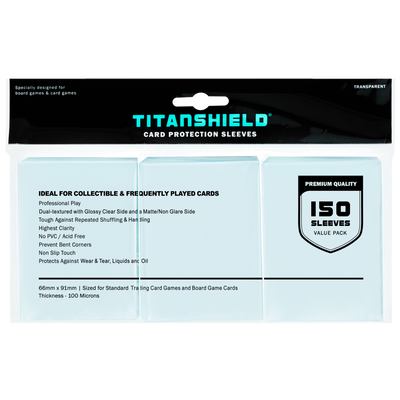










Sleeve math got you stuck? This guide shows you how to find the right size and how many you need.
BoardGameGeek—BGG to most players—is basically the Wikipedia of tabletop gaming. Home to the largest coverage of board and tabletop games on the internet, it covers nearly every detail you could need: rules, variants, storage guides, and even exact card dimensions for thousands of games. Once you know where to look, matching those measurements to the right TitanShield card sleeves takes just two simple steps.
This walkthrough shows you exactly what to click, both on desktop and in the BGG app, and includes a quick size-matching chart so you can jump straight to the right sleeves without guessing.

Start where all the useful info lives: the game's main page on BGG.
Once you open the page, you’ll see an overview with a description, images, awards, official links, customer reviews, and more.
To find sleeve data:
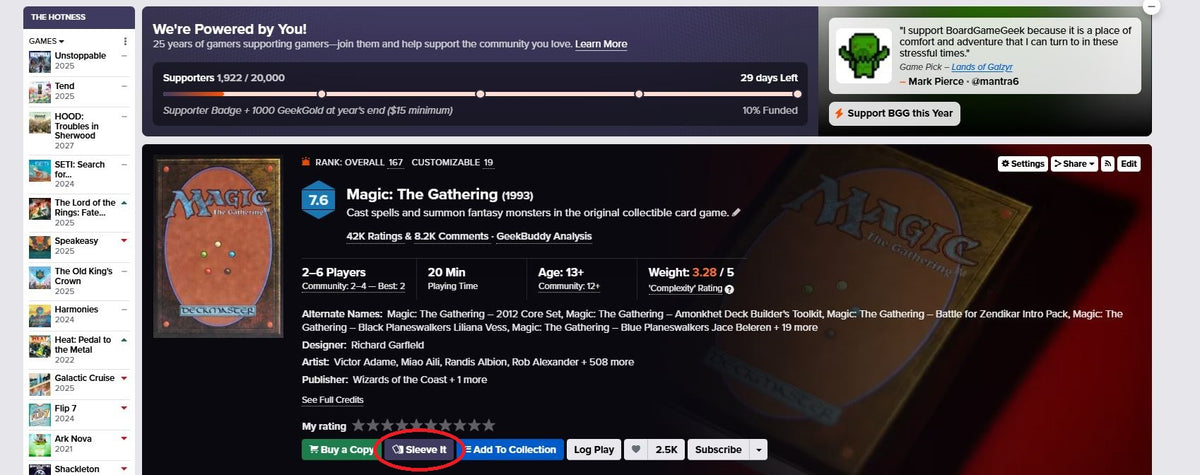
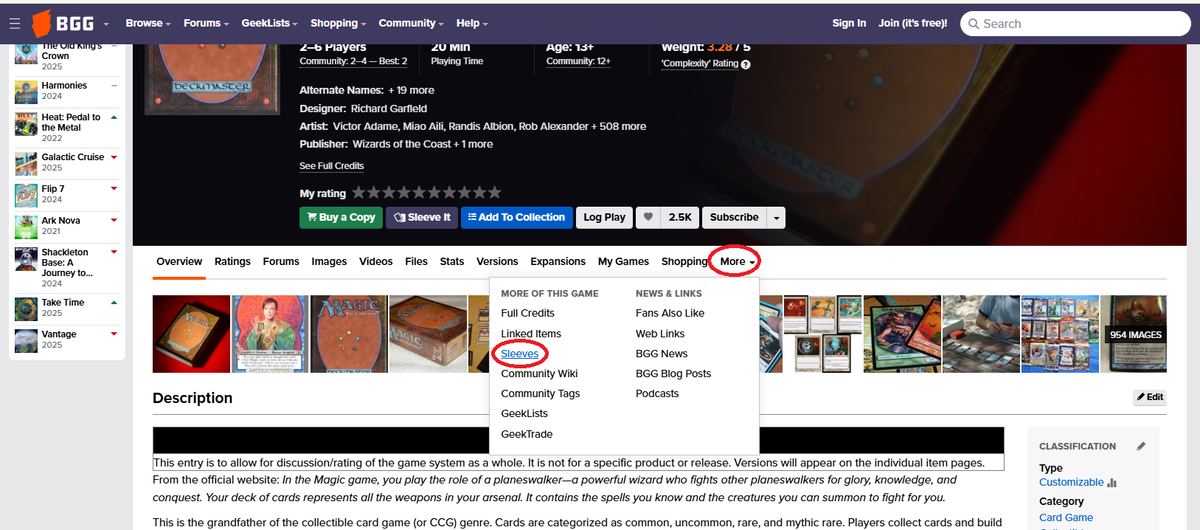
Here’s a GIF showing exactly how to do either:
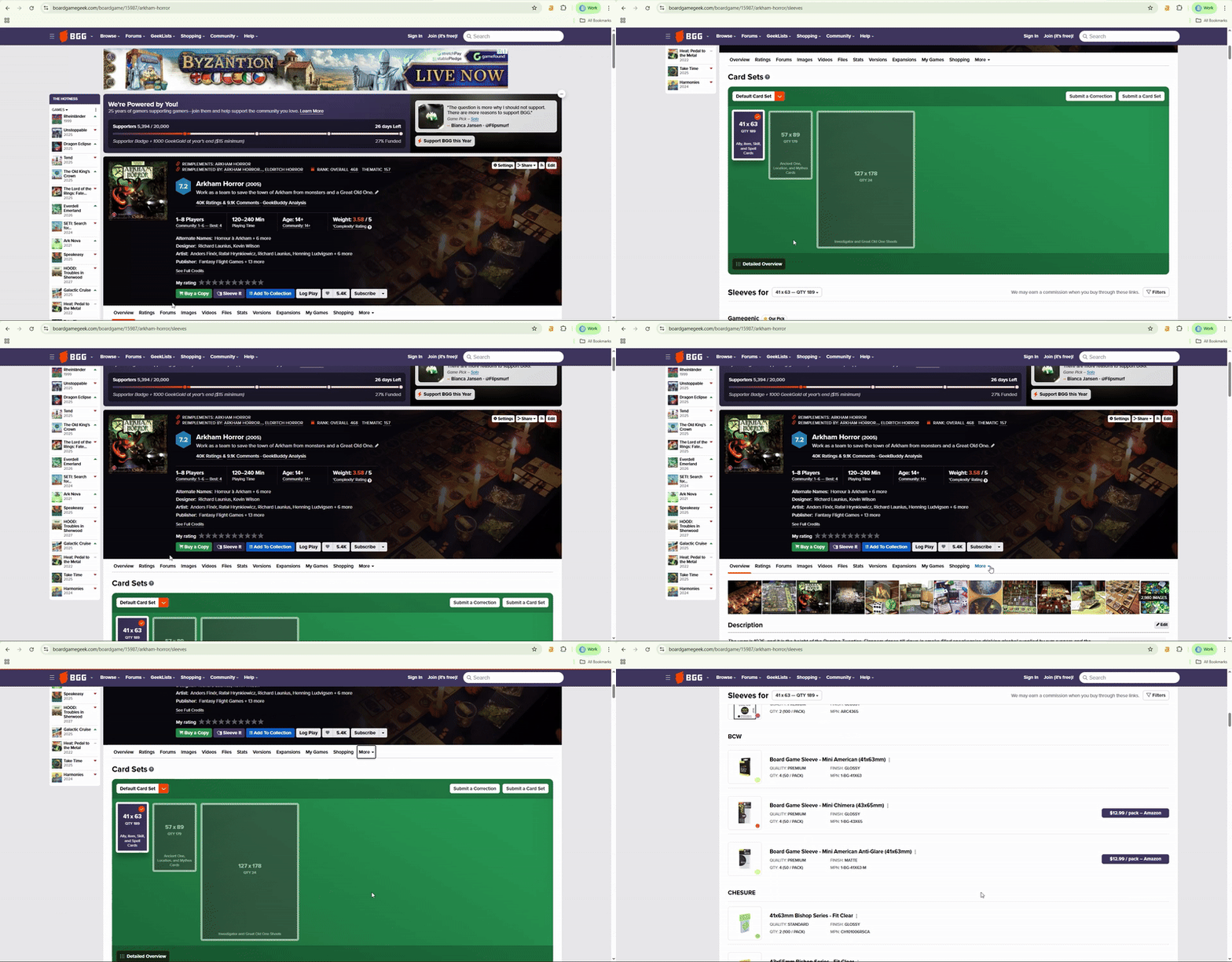

This takes you to a community-maintained area that lists every known card size used in that board game. It’s incredibly helpful if you like planning ahead—and a lifesaver if you're tired of guessing between “card sleeves for board games” that all look the same online.
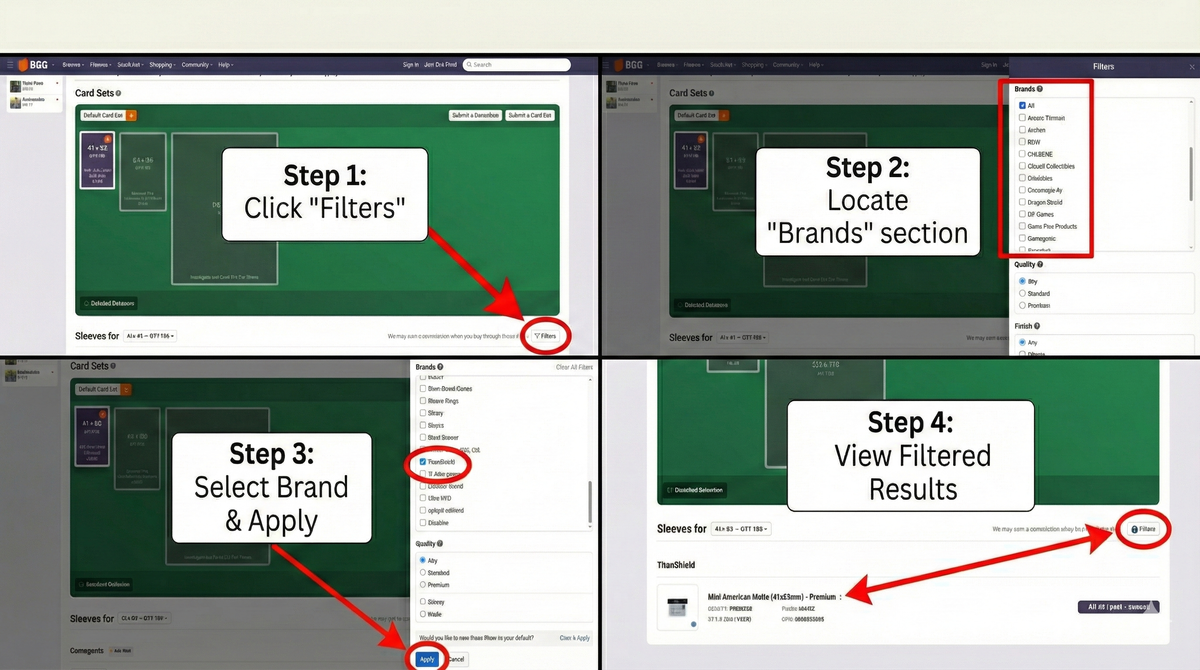
If you want to see sleeves from a specific brand, navigate to the Card Sets section and click “Filters” in the lower-right corner. A panel will appear on the right side with an alphabetical list of brands. Select the brand you want, click “Apply,” and BGG will show only the sleeves available from that brand.
| BGG Card Size (mm) | Common Name | TitanShield Sleeve to Choose |
|---|---|---|
| 63.5 × 88 mm | Standard / Poker | TitanShield Standard Card Game Sleeves |
| 57 × 91 mm | Standard American | TitanShield Standard American Card Sleeves |
| 59 × 92 mm | Standard European | TitanShield Euro Card Sleeves |
| 44 × 68 mm | Mini European | TitanShield Mini Euro Sleeves |
| 41 × 63 mm | Mini American | TitanShield Mini American Sleeves |
| 70 × 120 mm (varies slightly) | Tarot / Oversized | TitanShield Tarot Sleeves |
You don’t have to gamble on board game sleeves ever again. Once you know where the Sleeves section lives on BGG, finding exact card dimensions is straightforward. Match those measurements to the TitanShield sizes in the chart above, see how many you need (BGG also tells you that!) and you’re set.
Ready to protect your next card game or board game favorite? Browse TitanShield sleeves by size and pick up what you need in a single stop.
Still need help finding the right sleeves? We’d love to help you figure it out. Simply send us a message at support@titanshield.com.
Go up, never down. A sleeve that's 1–2 mm taller usually fits without problems. A smaller sleeve can warp edges or pinch corners. For board game cards, this situation is uncommon because TitanShield’s six sizes cover more than 90% of published card formats.
If you’re deciding between two close options:
All TitanShield board game sleeves use a 100-micron thickness. This gives you a dependable balance of durability, smooth shuffling, and comfortable handling without making decks feel bulky or hard to fit back into the box.
If you play games with lots of shuffling (deckbuilders, trading-card engines inside board games, or anything that cycles cards constantly), this 100-micron build stands up to heavy use and keeps your cards in good shape.
Absolutely. Repeated shuffling accelerates edge wear. Premium thickness reduces nicks, improves deck uniformity, and extends card life, especially for games you play weekly.
Join TitanShield's Rewards Program:
Track your rewards easily and redeem them whenever you're ready. Earn 100 points for signing up.